
Self Host n8n for Completly free
What is the Plan?
Section titled “What is the Plan?”n8n needs a Postgress DB to store workflows, credentials, etc.
we are going to be using supabase as the Postgress DB Provider
Compute : render:
Section titled “Compute : render:”Runs the actual n8n app, gives us a public url to use n8n from
Render will spin down the n8n service after 15 mintues of inactivity
so we’re gonna ping the service after 14 mintues forever to keep it active and not spin down by setting up a cron job in cron-job.org
Steps :
Section titled “Steps :”Setup Supabase
Section titled “Setup Supabase”-
Signup/Signin
Section titled “Signup/Signin”click this link :
supabaseto signup or signin -
Create a Project
Section titled “Create a Project”click
New organizationbutton- name it with your own name, doesn’t matter
- select
Typeto bePersonal - select
Planto beFree - click
Create new organization
click
New projectbuttonOrganizationto be whatever is selected by defaultProject nameto ben8n-db, doesn’t really matterDatabase passwordto be a new password that we will need shortlyRegionto be aWest US (Oregon)Region (because Render’s Region will also be that)Securityto default settings- click
Create new project
-
Get Credentials
Section titled “Get Credentials”click the
Connectbutton in the top bar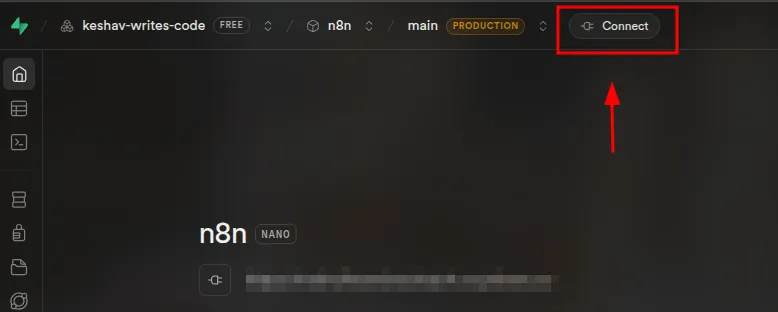
then do these things :
- set
TypetoSQLAlchemy MethodtoTranscation pooler- remeber (copy) the block of text just right to
Transcation pooler (SHARED POOLER)

- set
Setup Render
Section titled “Setup Render”-
Signup/Signin
Section titled “Signup/Signin”signup or signin to
render -
Create a Web Service
Section titled “Create a Web Service”create a new webservice by :
- open
New Web Servicepage - click
Existing Image Import Urlto be thisdocker.n8n.io/n8nio/n8n- click
Connect
- open
-
Configure Web Service Creation
Section titled “Configure Web Service Creation”in the next page, set :
-
Nameto be anything, eg.n8n -
Region to be
US (Oregon) -
Instance Typeto beFree -
Environment Variablesto match this :Key Value DB_POSTGRESDB_DATABASEpostgresDB_POSTGRESDB_HOSTthe hostvalue from the supabase pageDB_POSTGRESDB_PASSWORDthe Database passwordof the supabase projectDB_POSTGRESDB_PORTthe portvalue from the supabase pageDB_POSTGRESDB_SCHEMApublicDB_POSTGRESDB_USERthe uservalue from the supabase pageDB_TYPEpostgresdbN8N_ENCRYPTION_KEYset to litteraly any random string -
click
Deploy Web Service
-
-
After Web Service Creation
Section titled “After Web Service Creation”after deployment, you will be forwarded to the webservice dashboard we just created
we need to set more environment variables for proper functioning of n8n- go to
Left Sidebar>Environment>Environment Variables>Edit>Add - and add these environment vairbales :
Key Value N8N_EDITOR_BASE_URLthe url that render has deployed n8n to, can be found on top of the dashbaord WEBHOOK_URLthe url that render has deployed n8n to, can be found on top of the dashbaord - then click
Save and deploy
- go to
Setup Cron Job
Section titled “Setup Cron Job”-
Signup/Signin
Section titled “Signup/Signin”signup or signin to
cron-job.org -
Create Conjob
Section titled “Create Conjob”- go to the dashboard
- click
Create Cronjob - set
TiletoKeep n8n Awake - set
Urlto the url render deployed n8n to. can be found on the top of Web Service page in Render - set
Crontab expressionto :*/14 * * * * - click
Create